How can I track my order?
Your Just Lenses Account allows you to track all of your orders. Once you login to your My Account page there is an Order Status page which is automatically updated with the current status of all your orders.
The page displays each order (past and present) with Date Ordered, Order Number, Shipping Address, and Order Amount. The final column displays the the status of the order. Most of these status levels are self explanatory, but there are detailed descriptions of each status level below.
Explanations of the Status Levels:
- Pending Rx - Your order is waiting verification of its prescription information from your eye care provider.
- Rx Faxed - Your prescription has been faxed to your eye care provider for verification.
- Rx Declined - Your eye care provider has informed us that your prescription is not valid. This can be a result of incorrect prescription information or an expired prescription. We advise you to contact your eye care provider in regards to this matter.
- Need Dr Info - We were unable to verify your prescription with the Doctor information you provided.
- On Hold - Your order was placed on hold after three attempts to contact you for additional information failed.
- New - Your order has been verified and is waiting to be downloaded to our warehouse for processing.
- Processing - Your order has been downloaded to our warehouse system and is now being prepared for shipment. Processing times vary from product to product, you can refer to each product page for an estimation of processing time.
- Shipped - Your order has now left our warehouse.
- Cancelled - Your order will appear as Cancelled if you have contacted our Customer Service Department and chosen to cancel your order.
- Returned - Your order will appear as Returned if you have completed the Returns and Exchange process.
If you have any further questions, please contact our one of our friendly Customer Service Representatives for further assistance.
More about Ordering Contact Lenses
Place an Order or contact Customer Service 24/7 at:
1-800-516-LENS (516-5367)
-
100% Customer Satisfaction
If you're not 100% satisfied with your Just Lenses purchase, we'll cheerfully refund all your money. Complete Details
-
Need to send back contact lenses? No problem, no hassles. Just give us a call. Complete Details
-
Shop with Confidence
All personal information that you submit is encrypted and secure.
-
We guard your information with the highest level of security tested daily.
-

We accept all major credit cards - Online 24/7.
-
Spam-free Email

All your email preferences can be managed from the 'My Account' tab at the top of the page.
-
Your Lenses are Ready
With over 23 Million contact lenses in stock, we immediately fill your order with your exact prescription.
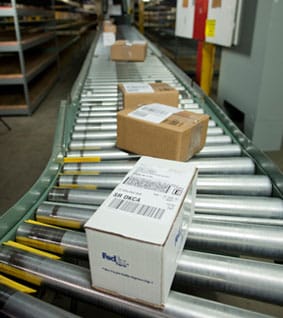 Over 4.5 million successful orders delivered!