How do I place an order online?
Just Lenses offers the widest selection of contact lenses available online. Using our navigational drop downs and search function you can browse through our site and find the contact lenses that you are currently wearing (or possible alternative lenses that you would like to discuss with your eye care professional).
Once you have found your brand of contact lenses, you need to select your prescription and then add the lenses to your shopping cart by clicking the 'Add to Cart' button. Once this has been done you can either continue browsing (your shopping cart will hold everything until you are ready to complete your order) or proceed to the Checkout Process immediately.
Checkout Process
If you are not already logged in to your Just Lenses Account, you will need to login in order to complete the Checkout process.
Step 1: Shipping Method
- Select a Shipping Method from the drop down
Step 2: Billing / Shipping Address
- Review the Billing and Shipping Address pulled from your Account Settings
- Make any necessary changes to these addresses
- Review Changes
- Review Shipping Method (may have changed if you changed your shipping address)
- Click "Continue"
Step 3: Review Shopping Cart
- Review Quantities and Prescriptions for each Item in your Cart
- Review the Subtotal, Shipping, and Grand Total
- To make a change click the 'Go Back' Button
- When your updates are complete, return to the Checkout Process by clicking 'Continue'
Step 4: Eye Care Provider
- Enter your Doctor's name and phone number
- If you do not know your Doctor's name or phone number you can look them up using our 'Find My Doctor' function
- When you have entered your Doctor's information click 'Continue'
Step 5: Enter Credit Cart Information
- Enter your Credit Card Information
- If you have ordered from Just Lenses before you may just need to confirm your Credit Card Number from your last order
- Enter your Account Password (to authorize the payment and confirm your identity)
- When you are finished Click 'Finalize Order' and your order will enter our system for processing
Step 6: Confirmation Page
- We recommend that you review and print the order confirmation page for your records.
- Your Order is now complete - Thank you for Ordering from Just Lenses
If you still have a problem or question, please contact one of our friendly Customer Service Representatives for further assistance.
More about Ordering Contact Lenses
Place an Order or contact Customer Service 24/7 at:
1-800-516-LENS (516-5367)
-
100% Customer Satisfaction
If you're not 100% satisfied with your Just Lenses purchase, we'll cheerfully refund all your money. Complete Details
-

Need to send back contact lenses? No problem, no hassles. Just give us a call. Complete Details
-
Shop with Confidence
All personal information that you submit is encrypted and secure.
-
We guard your information with the highest level of security tested daily.
-

We accept all major credit cards - Online 24/7.
-
Spam-free Email

All your email preferences can be managed from the 'My Account' tab at the top of the page.
-
Your Lenses are Ready
With over 23 Million contact lenses in stock, we immediately fill your order with your exact prescription.
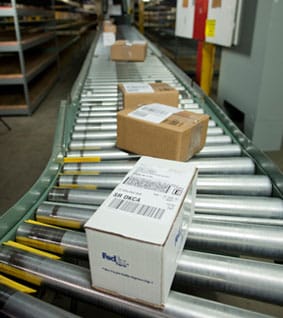 Over 4.5 million successful orders delivered!